How to find your Account Identifiers
Step 1: Log in to your Owners’ Portal at https://heidelberginnowners.getawaysresorts.com
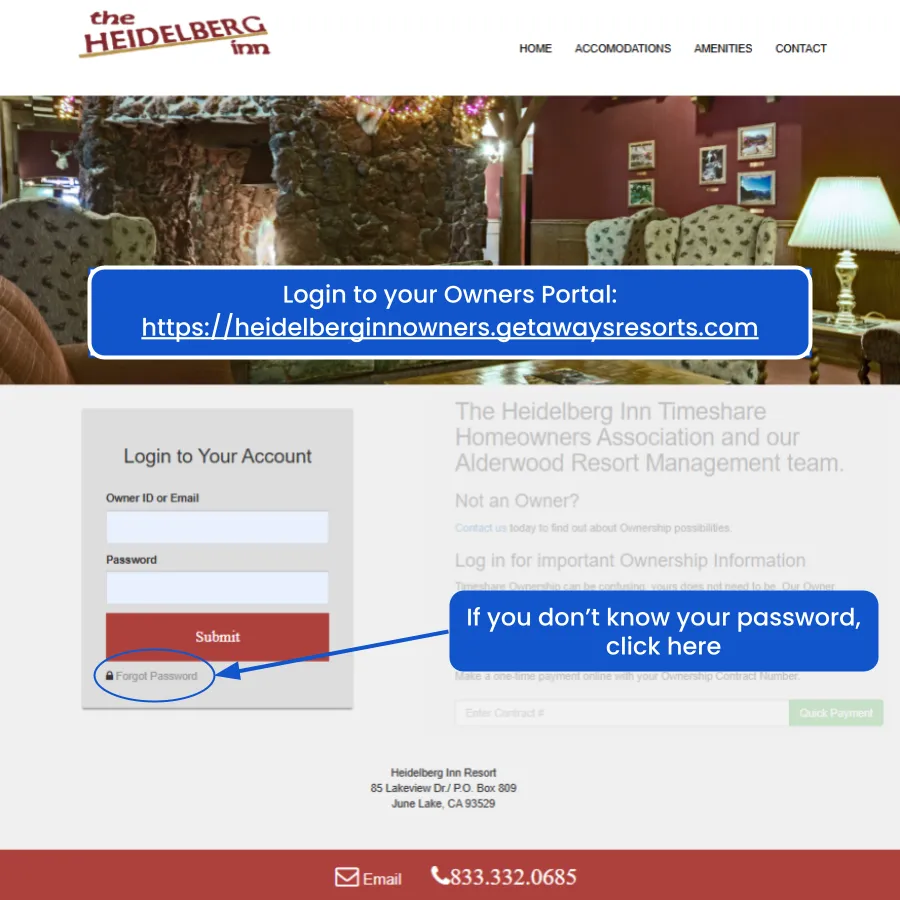
You can log in with either your login email or your Owner ID, and your password.
Your Owner ID is on every statement you get from The Heidelberg Inn.
If you don’t remember your password, try the “Forgot Password” link first.
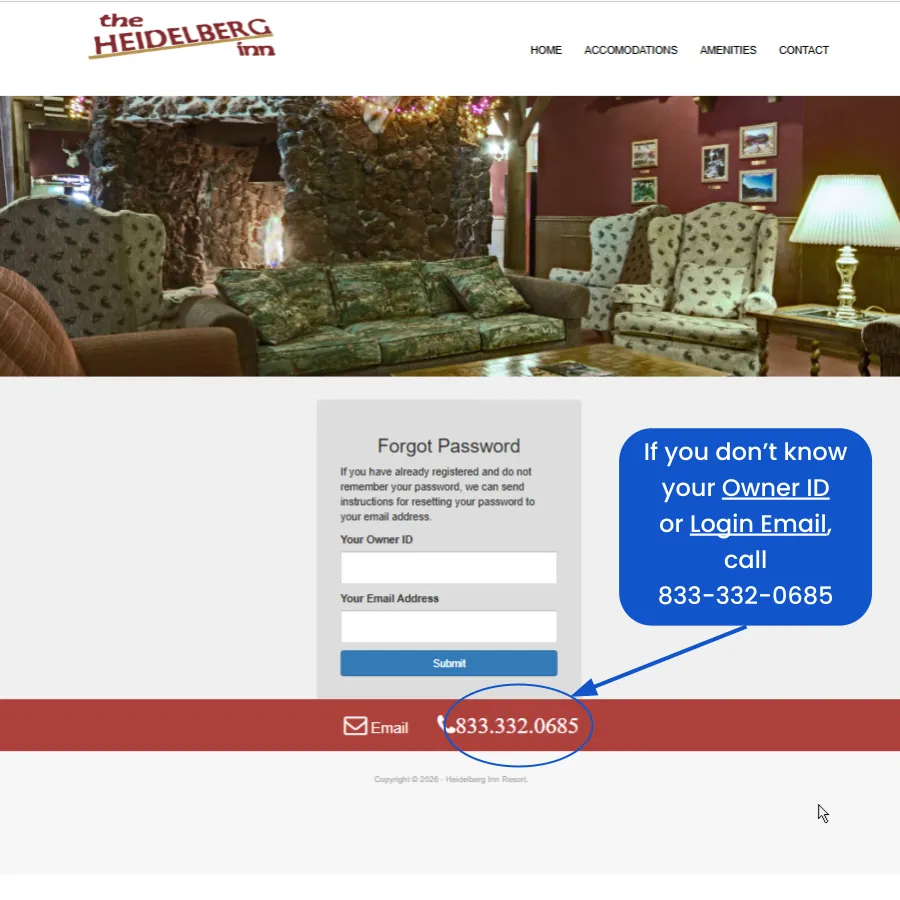
If you can’t come up with your Owner ID or you login email, you can call the Owner & Guest Services line and ask for help getting in to your account:
833-332-0685
PLEASE DO NOT bother the Owner & Guest Services rep with any Deed Back questions. They have no role or influence in the process, and have zero information for you.
Step 2: Copy and save your Account Identifiers
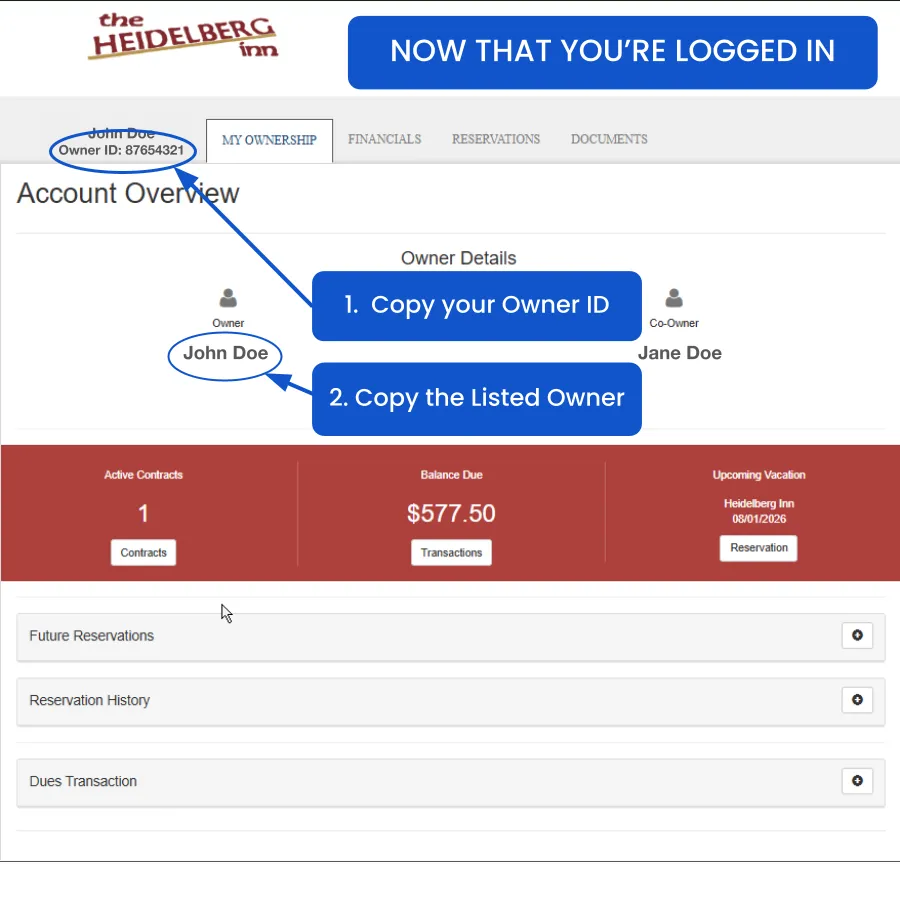
About “Listed Owner”
Most of the time you’ll see a first and last name. You might see two first names and a last name. You might see middle names or initials. You might see a company name. you might see your name spelled wrong. It doesn’t matter.
Don’t be tempted to correct anything.
Just copy and paste exactly what you see under the “Owner” icon.
Our Deed Back process requires us to use the data exactly as we find it, in our internal records and public records. If you give us inaccurate account info, we can’t help you.
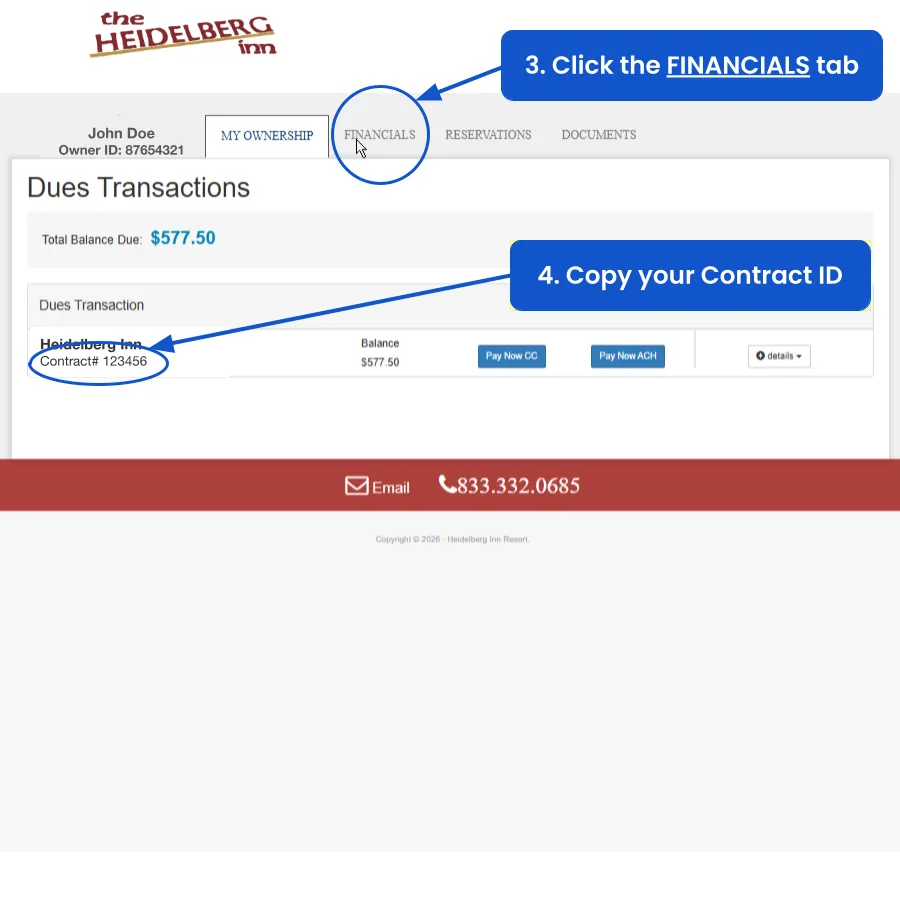
About “copy & paste”
Please copy & paste your data into a document (a Google or Word doc, draft email, AI chat - anything that’s easy for you to save & retrieve).
During the Deed Back process you’ll copy/paste these unique identifiers into multiple forms, to keep everything in sync. A typo or mismatch can derail the process.
Copy & paste carefully.
An extra space or missed character is a FAIL - there’s no room for error.